
The Hidden Cost of Disconnected Systems in Import & Export
Discover how disconnected systems create hidden costs for importers and exporters, and how connected workflows improve visibility and productivity.

Discover how NEX significantly enhanced First Atlantic Commerce's
operations, billing processes, and overall data management efficiency.
13 min read

Import and export businesses usually start with spreadsheets for many reasons. Excel is familiar, cheap, and easy to pick up. When shipment volume is low, and one person manages the sheet, it can work well enough. A single Excel spreadsheet can track basic orders, customer relationships, supplier details, and simple revenue numbers without much effort.
The strain starts when the business grows. Logistics needs shipment updates. Sales need the order status. Warehouse teams need stock information. Finance has to calculate invoices and landed cost. Executives want a forecast and a clear view of what is happening across the business on a daily basis.
At that point, spreadsheets start showing their limitation. Manual data entry creates errors. Duplicate rows appear. Formats drift. Formulas break. Version control gets messy. Updates arrive late.
Spreadsheets were never designed to manage real-time operational flow across multiple people and departments. They can hold data, but they cannot run the work around the data. Once that gap appears, delays and rework follow. That is usually when import-export teams start looking for a better system.
This guide covers:
Why Excel spreadsheets create errors, delays, and version control problems for import-export teams
Where manual shipment, documentation, CRM, and data analysis workflows reach a breaking point
What import and export businesses need instead: automation, standardization, and real-time visibility
P.S. If spreadsheets are getting in the way, NEX offers Import Export Software for QuickBooks with automated document generation, QuickBooks integration, shipment workflows, landed cost tracking, compliance documents, reduced manual data entry, and real-time visibility.
Book a demo to see how connected import-export workflows can replace spreadsheet chaos.
Shipment Tracking Falls Behind: Manual updates leave teams reacting to old shipment information.
Manual Entry Drives Errors: Repeated typing creates duplicate data, mismatches, and preventable mistakes.
Version Control Gets Messy: Multiple files make it harder to trust current information.
Reporting Turns Fragile: Cleanup, formulas, and pivots slow decisions and hide issues.
Visibility Stays Incomplete: Separate spreadsheets cannot show the full operational picture.
Automation Becomes Necessary: Automated systems centralize updates, reduce rework, and keep workflows moving.
Growth Adds Spreadsheet Work: More volume usually means more files, rework, and bottlenecks.
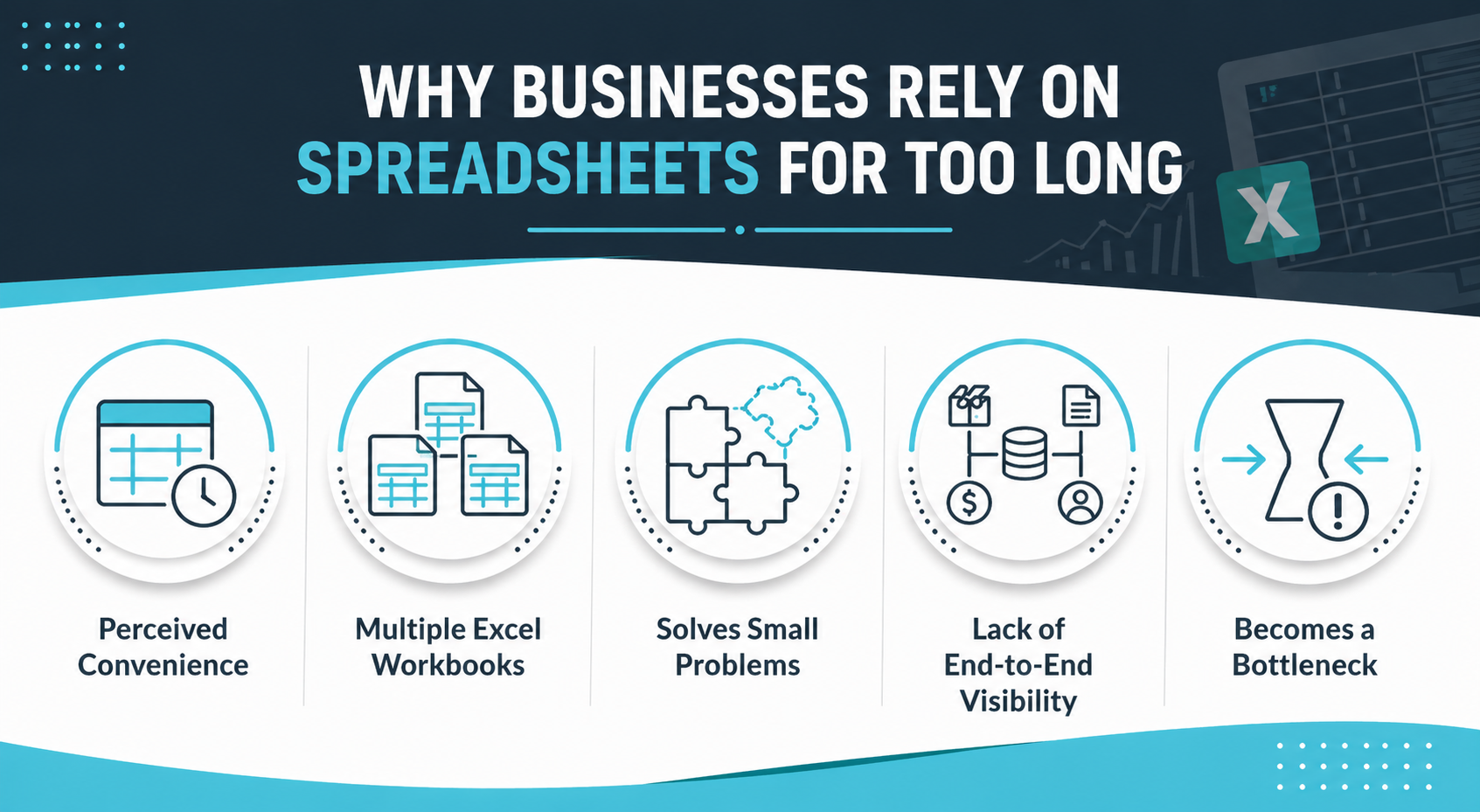
It is easy to understand why businesses keep using spreadsheets longer than they should. Excel feels quick, flexible, and low-risk. A team can build a shipment list, track supplier details, add customer notes, run formulas, and export CSV files without waiting for a larger system to be implemented.
That convenience often delays a bigger decision. Instead of replacing the workflow, teams keep adding more Excel workbooks around it. One file manages import activity, another tracks export jobs. A third supports data analysis. Finance keeps separate revenue records. Sales tracks CRM details somewhere else. Each spreadsheet solves a small problem, so the larger operational problem stays in place.
Spreadsheets are not the wrong tool in every situation. They are useful for simple tasks. Trouble starts when the business needs real-time control across logistics, documentation, inventory, finance, and customer relationships. That is when a tool for storing data starts becoming a bottleneck for managing flow.
Import-export teams often feel the friction long before they describe it clearly. Files multiply. Updates arrive late. Data gets checked twice. Reports take longer. Each issue may seem manageable on its own, but together they create operational drag across the business.
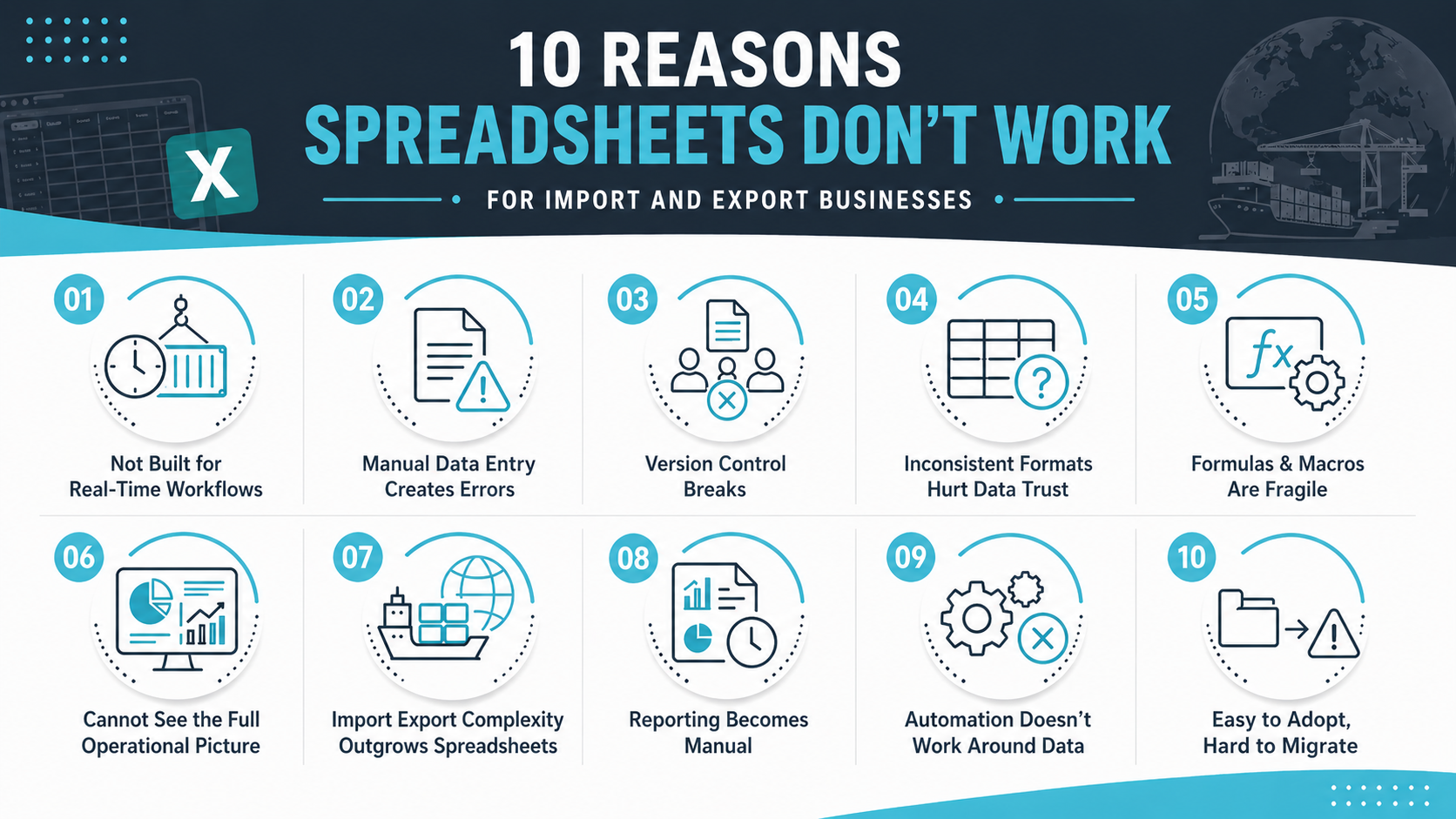
Shipment management changes constantly throughout the day. Booking updates, freight forwarder communication, customs movement, handoffs between teams, and customer-facing status changes all happen in sequence. A spreadsheet can record those changes after someone enters them manually, but it cannot actively manage that shipment flow in real time.
That gap becomes more obvious with multi-stage shipments. One delayed update can affect warehouse timing, documentation readiness, invoice planning, and customer communication. When the file depends on manual updates, the business is always reacting to what has already happened instead of working from a live operational status.
A simple way to verify this limitation is to trace one active shipment from order to delivery and note every place where a person has to manually update the file, send an email, or check another source for current information. If the process depends on memory and follow-up rather than a real-time system, the spreadsheet is already acting as a constraint on operational speed.
Read Next: The Top Benefits of Implementing a Real-Time Order Tracking System
Manual spreadsheet work appears manageable until teams count how often the same information gets typed, copied, or pasted across multiple files. Import-export operations tend to repeat shipment details, invoice data, supplier records, customer fields, and customs information in more than one place, which increases the chance of preventable mistakes.
Duplicate Entry Risk: The same shipment or customer data often gets entered into separate spreadsheets for logistics, finance, and reporting. To verify this issue, compare a few recent orders across files and check whether addresses, quantities, invoice references, and shipment dates match exactly in every location.
Shipment Detail Errors: Small mistakes in SKUs, quantities, destination details, or shipment codes can create larger downstream problems. Review recently delayed or corrected shipments and check whether the issue started with incorrect spreadsheet data entered at an earlier stage.
Wrong Row or Column Placement: Even correct values become harmful when they are entered in the wrong location. Audit rows with unusual totals, missing fields, or odd sorting results to identify misplaced entries that may have affected calculations or reports.
Formula and Code Mistakes: Spreadsheet logic breaks quietly when a formula gets overwritten or a code field is entered inconsistently. Compare calculated totals against source documents instead of trusting formula output without verification.
Operational Rework: The highest cost is often the time spent checking, correcting, and reconciling data. If employees regularly pause work to confirm which number is correct, manual data entry is already reducing productivity across the team.
Read Next: The Real Cost of Manual Order Processing (and How to Eliminate It)
Version control problems usually start with harmless-looking habits. One person saves a local copy, while another sends an email attachment. Someone else updates a shared drive version later in the day. In the end, the business ends up with multiple files that all look current.
That confusion spreads quickly across import-export work because shipment timing, documentation, finance, and customer communication all depend on shared information. If one team is using yesterday's workbook and another team is using today's version, different data drives different decisions. The result is not just file clutter. It is operational inconsistency that affects how work gets done.
A practical way to verify the seriousness of the issue is to pick one active shipment and ask logistics, sales, and finance teams for its current status from their own files. If dates, notes, or next actions do not match across those files, version control has already become a business problem rather than just an administrative inconvenience.
Read Next: Streamline Your Order Workflows to Cut Delays and Eliminate Costly Mistakes
Spreadsheet-based operations often drift into inconsistency because different people build files for different purposes. Over time, columns get renamed, date styles change, customer names are entered in different ways, and shipment codes stop following one standard. That makes the data harder to use and much harder to trust across teams.
Column Drift: A single changed column can break reports, formulas, imports, or CSV uploads. Compare file structures across teams and confirm that the same field appears under the same column name and position everywhere it is used in the business.
Format Mismatch: Different date formats, shipment codes, and customer naming conventions create mismatched records. Sort data by customer, date, or code and look for obvious duplicates caused by inconsistent spelling or structure across files.
Data Cleanup Burden: Teams often spend more time cleaning data than using it for analysis or decision-making. Track how long it takes to prepare one report or import file before it is ready for actual use.
Analysis Limitations: Data analysis becomes weaker when the source data is inconsistent. Test this by checking whether two reports built from different files produce the same totals and definitions for the same time period.
Read Next: QuickBooks Data Prep Inventory Integration Guide for Growing Businesses
Spreadsheet complexity often grows in ways that are difficult to see at first. A file begins with a few formulas, then expands into copied tabs, hidden rows, pivot tables, and a macro someone built to save time. The workbook still runs, so it appears functional, but the logic behind it becomes harder to follow and harder to maintain.
That creates a fragile setup. A deleted column can shift cell references. A copied formula can pull from the wrong tab. A macro can fail because the file structure has changed slightly. Once only one or two people understand how the workbook works, the business is carrying more risk than it realizes.
A useful way to verify fragility is to ask someone outside the file's usual owner to trace how one number was calculated from source entry to final report. If that process takes too long, depends on hidden logic, or cannot be explained clearly, the spreadsheet is already too fragile for reliable operational use.
Import-export businesses need connected visibility, not isolated snapshots. Shipment status affects inventory. Inventory affects order planning. Customer communication depends on current logistics information. Revenue only makes sense when landed cost and delays are visible as well. Spreadsheets usually show pieces of that picture, not the complete view across all functions.
The gap becomes clear when a business tries to answer simple cross-functional questions. Is this order delayed because of stock, documents, or freight timing? How does that delay affect customer expectations and profit margin? Those answers usually sit across multiple files rather than in one current workflow that connects all the relevant information.
| Operational Area | What Spreadsheets Usually Show | What Teams Still Miss |
|---|---|---|
| Shipment Status | Static shipment row | Real-time movement, approvals, exceptions, and next steps |
| Inventory | Item counts or exported CSV | Live stock movement across locations and orders |
| Customer Relationships | Names, emails, and notes | CRM history, order context, service issues, and follow-ups |
| Revenue | Invoice or order totals | Landed cost, profitability, delays, and operational impact |
| Forecast | Manual projections | Real-time demand, shipment flow, and inventory constraints |
When visibility is fragmented, the business loses the full picture. Teams end up piecing together answers instead of seeing them clearly.
Read Next:
Import-export work becomes harder to manage as more dependencies enter the process. A single shipment may involve supplier coordination, warehouse timing, freight booking, customs declarations, letters of credit, packing lists, bills of lading, compliance documents, and landed cost review. Each item affects the next step in the process.
A spreadsheet can list those items, but it cannot coordinate them effectively. When one update changes the flow, people still need to notice it, revise the file manually, and inform the next person what changed. That puts too much operational pressure on manual tracking, especially across multiple stages and teams working in different locations or time zones.
NEX's Import and Export Software supports automated generation of invoices, packing lists, bills of lading, and compliance documents, along with customs declarations, letters of credit, freight forwarder communication, landed cost calculations, and shipment workflows. Those are process needs, not just recordkeeping needs.
Read Next: What Is Warehouse Management in Logistics?
Reporting delays often come from the work before the report, not the report itself. Teams have to gather files, clean data, fix inconsistent fields, check formulas, and reconcile totals before they can even start reviewing results. That manual burden gets heavier as shipment volume and operational complexity grow over time.
Executive Blind Spots: Leadership often receives delayed reporting because teams need time to clean and reconcile files first. Compare when an operational event happened versus when it appeared in an executive report to measure the delay.
Manual Forecasting: Forecast quality suffers when demand, shipment flow, and inventory data must be exported and rebuilt manually. Review whether forecast assumptions are based on live activity or spreadsheets refreshed after the fact.
ROI and Savings Gaps: It is difficult to calculate ROI and savings accurately when labor spent on fixes, rework, and delays is not captured. Track how many hours teams spend each month preparing or correcting spreadsheet reports.
Pivot Table Limits: Pivot tables can summarize data quickly, but they only reflect the quality of the source data feeding them. If totals change after cleanup, the pivot table was never providing the real answer.
Hidden Cost Exposure: The hidden cost appears in time lost, slower strategic decisions, and weaker confidence in numbers. Review how often leaders ask for report corrections or follow-up checks before making decisions.
Read Next: Calculating the ROI of Inventory Management Software for Small Businesses
Import-export teams need more than a place to store information. They need the surrounding tasks to move forward without constant manual follow-up. Approvals need to happen on time. Documents need to be generated from the current records. Status updates need to change as work progresses. Teams need reminders and task handoffs without relying on memory or email chains.
Spreadsheets leave most of that work manual. A row may show that a shipment changed status, but the file does not automatically notify the next owner, trigger a follow-up action, or generate the related document. That is why the operational bottleneck often sits outside the data itself and in the manual work required to act on it.
NEX’s verified import-export capabilities include automated document generation, automated status updates, workflow approvals, order consolidation, and real-time shipment tracking. These functions help teams automate the flow of work instead of relying on files, emails, and memory.
Read Next: How to Automate Order Processing for Speed, Accuracy, and Scale
Spreadsheet adoption appears simple because anyone can create a file and start working immediately. Teams can adopt Excel without much planning, and that makes it feel like the low-friction choice. For a while, that approach seems efficient because the business gets quick functionality without a larger system decision or implementation project.
The longer that setup stays in place, the harder it becomes to migrate. Different versions accumulate. Formats drift. Duplicate records are spread across files. Old CSV exports sit next to updated sheets. Years of manual edits make it difficult to convert spreadsheet history into clean operational data that can be loaded into a new system.
A useful way to verify migration risk is to test one sample dataset before a larger project. Pull customer, shipment, and supplier records from current Excel workbooks and see how much cleanup is needed before the data can be loaded into a cloud-based platform. If the answer includes major standardization work, the spreadsheet setup is already creating implementation risk and likely pushing the business toward a consultant-heavy migration process.
Read Next: How Integrated Inventory Management Systems Eliminate Errors and Scale Operations
Replacing spreadsheets is not just about moving data into another tool. The stronger approach is to replace manual workflow gaps with a system built for connected operations. Import-export teams need software that helps information move cleanly across shipments, documents, finance, and customer activity without requiring constant manual updates.
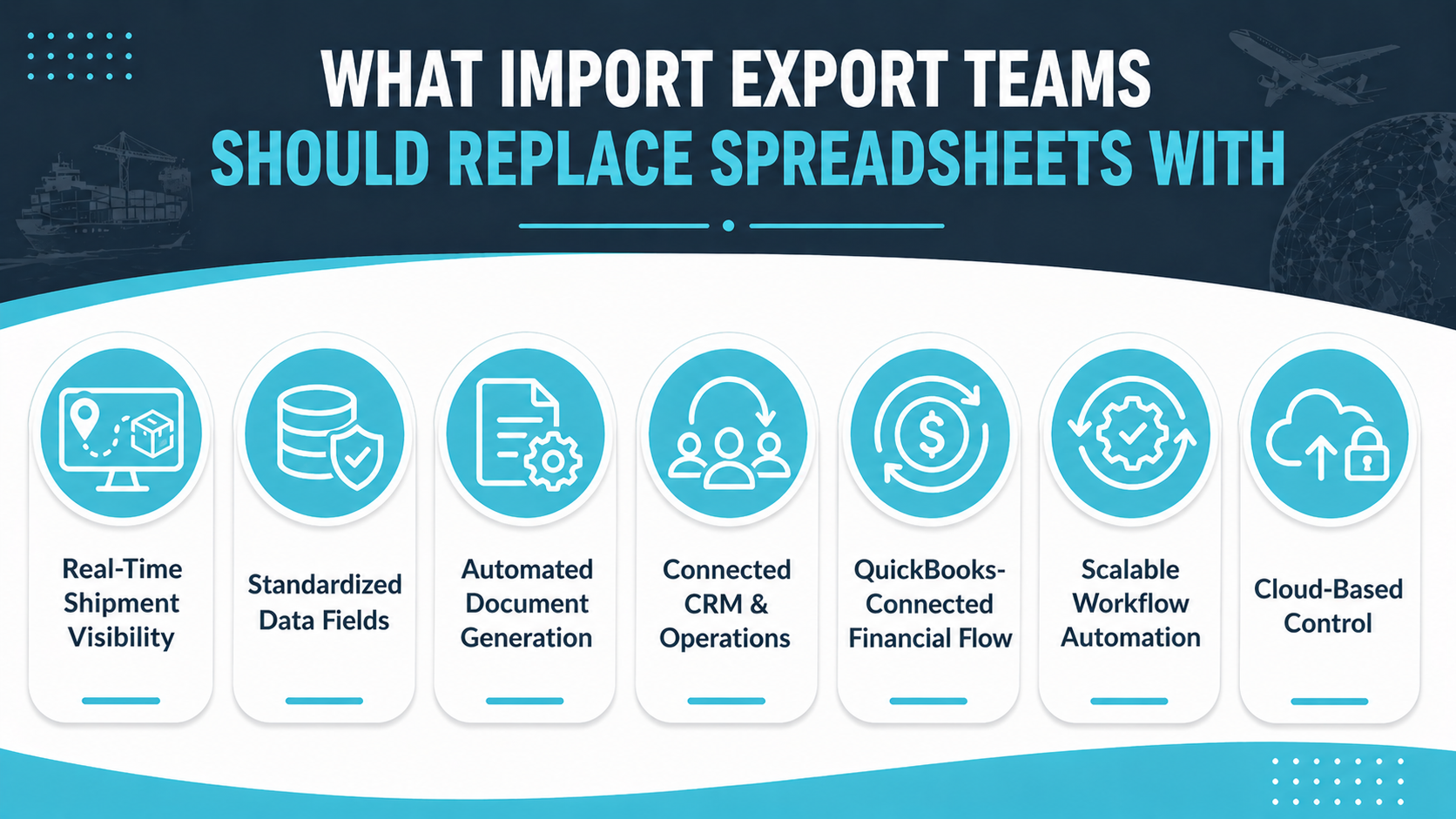
Real-Time Shipment Visibility: Teams need live shipment, order, and documentation status. A strong system shows current progress, exceptions, approvals, and next steps without requiring people to update multiple files manually throughout the day.
Standardized Data Fields: Customer, supplier, product, shipment, and financial data should follow one consistent structure. Check whether the same field definitions stay consistent across imports, reports, and daily workflows in the system.
Automated Document Generation: Invoices, packing lists, bills of lading, and compliance documents should be generated from existing records. Review whether teams still rebuild documents manually or whether the system creates them automatically from current transaction data.
Connected CRM and Operations: Customer relationships should stay tied to orders, shipment updates, and service activity. That improves communication because sales and operations teams work from the same current record instead of separate files.
QuickBooks-Connected Financial Flow: Operational data should connect with accounting so invoice, payment, and landed cost details do not need manual re-entry. Review whether finance still has to reconcile separate files after operational updates happen.
Scalable Workflow Automation: Approvals, reminders, status updates, and task handoffs should move automatically as shipment volume grows. A scalable system reduces manual work instead of creating more spreadsheet maintenance as the business expands.
Cloud-Based Control: Teams need one shared operational system instead of different versions across drives and email attachments. Confirm whether every department can access the same live record without needing duplicate workbooks or manual exports.
Read Next: Best Inventory Management Software for QuickBooks in 2026
Spreadsheets stop being a helpful support tool once the business starts depending on them to manage day-to-day operational flow. At that point, the problem is no longer one bad workbook or one broken formula. The problem is that shipment activity, documents, finance, inventory, and customer updates are all moving through a system that was never designed for that level of operational responsibility.
That shift is easy to miss because it happens gradually. Teams keep adding files, tabs, formulas, and workarounds, so the process still appears to function. Meanwhile, error risk increases, visibility decreases, and more employee time goes into checking data instead of moving work forward. The business keeps running, but it runs with more friction than it should.
Spreadsheet Fit: Excel can help track simple data, but it cannot run import-export operations across multiple connected workflows.
Operational Risk: Manual spreadsheets create errors, version confusion, bottlenecks, and incomplete shipment visibility that affect logistics, finance, and customer communication.
Replacement Trigger: Teams need cloud-based automation when shipment, CRM, inventory, and finance workflows start depending on one another every day.
As shipment complexity grows, spreadsheet flexibility turns into operational risk very quickly.
NEX offers Import Export Software for QuickBooks for teams that need QuickBooks integration, shipment workflows, automated document generation, landed cost tracking, compliance documents, reduced manual data entry, and real-time visibility across import and export operations. Replace spreadsheets.
Book a demo to see how NEX can replace spreadsheet friction with operational clarity.
Most import-export businesses start with spreadsheets because Excel is familiar, inexpensive, and easy to use right away. A team can create shipment lists, track customer relationships, store supplier details, and run simple data analysis without waiting for a formal system to be implemented. That makes spreadsheets feel practical in the early stage, especially when one person controls the file and workflow complexity is still relatively low.
The biggest problem is that spreadsheets do not manage connected operational workflows effectively. Import and export work depends on shipment updates, documentation, finance, inventory, and communication staying aligned across multiple people and departments. Once those moving parts depend on manual updates inside different files, teams lose speed, visibility, and confidence in the accuracy of the data they are using to make decisions.
Version control becomes a serious issue because different teams often save or share files in different ways. Some use email attachments, some use shared drives, and others keep local copies on their own computers. That leads to different versions carrying different data, which can affect shipment status, reporting accuracy, customer communication, and executive decisions before anyone realizes the file they are using is outdated or incomplete.
Spreadsheets can store document information, but they are weak at managing documentation as an active workflow. Teams still have to build, update, check, and share invoices, packing lists, bills of lading, customs declarations, and compliance documents manually. As document volume grows, that process becomes slower, more error-prone, and harder to control across teams working in different locations or handling multiple shipments at the same time.
A business should migrate when spreadsheets are no longer just helping track data and have started controlling day-to-day operations. Common signs include repeated manual entry, reporting delays, version confusion, shipment updates that lag behind reality, and growing difficulty tying finance, logistics, and customer information together in one place. Once those issues affect daily work, migration usually becomes a strategic need rather than just a technical upgrade.
Import-export teams need a cloud-based system that combines real-time visibility, standardized data, workflow automation, document generation, and financial connection to QuickBooks. The goal is not simply to store the same data somewhere else. The goal is to reduce manual work, improve operational control, and keep shipment, documentation, customer, and financial workflows connected in one place so teams can work from accurate, current information.
Teams often continue to use Excel spreadsheets because the process feels familiar, even when it has become difficult to manage. A consultant may be needed later to untangle what teams overlook in formulas, file versions, manual processes, and disconnected workflows. By that point, moving away from spreadsheets can feel like a nightmare because the business is not only replacing files, but also rebuilding the processes those files were quietly controlling.
The transition works best when teams standardize the data first, then move shipment, documentation, customer, and financial workflows into a system that connects them seamlessly. That means cleaning up duplicate records, confirming field formats, mapping QuickBooks data, and deciding which workflows should be automated before the switch happens. This reduces disruption and helps teams adopt the new system with more confidence.

Discover how disconnected systems create hidden costs for importers and exporters, and how connected workflows improve visibility and productivity.

Learn how HS code mistakes cause fines, shipment delays, audits, wrong duties, and customs compliance risk for import and export businesses.

Learn how landed cost mistakes cause margin loss, pricing errors, inventory distortion, and why automated systems outperform spreadsheets.