
Key QuickBooks Inventory Limitations for Growing Businesses
Still using QuickBooks to manage your inventory? You’re not alone, but you may have already outgrown it.

Discover how NEX significantly enhanced First Atlantic Commerce's
operations, billing processes, and overall data management efficiency.
13 min read
Inventory sits at the center of two things every growing business cares about: purchasing decisions and cash flow. Too much stock ties up working capital. Too little risks leads to lost sales and frustrated customers. Research shows that businesses can lose up to 11% of their annual revenue due to stockouts and overstocking caused by poor inventory planning.
For many businesses that rely on QuickBooks as their primary accounting software, the real opportunity is not simply tracking inventory levels. It is learning how to use historical sales, supplier lead times, and purchasing patterns to anticipate what should be ordered next and when.
The journey from reactive to predictive inventory management is filled with practical challenges, but it’s also where the most resilient and profitable businesses set themselves apart.
This guide covers:
P.S. For organizations ready to move beyond manual spreadsheets and basic inventory reports, NEX’s inventory management services offer real-time inventory tracking, automated forecasting, and seamless multi-location visibility. Our solution helps you optimize inventory management, automate replenishment, and improve cash flow. Schedule a meeting to see how we can help you achieve accurate, predictive inventory planning.
| Key Insight | Details |
|---|---|
| QuickBooks’ Native Forecasting | QuickBooks Online and Desktop provide basic financial and forecasting, but advanced demand forecasting and automation require integrations like NEX. |
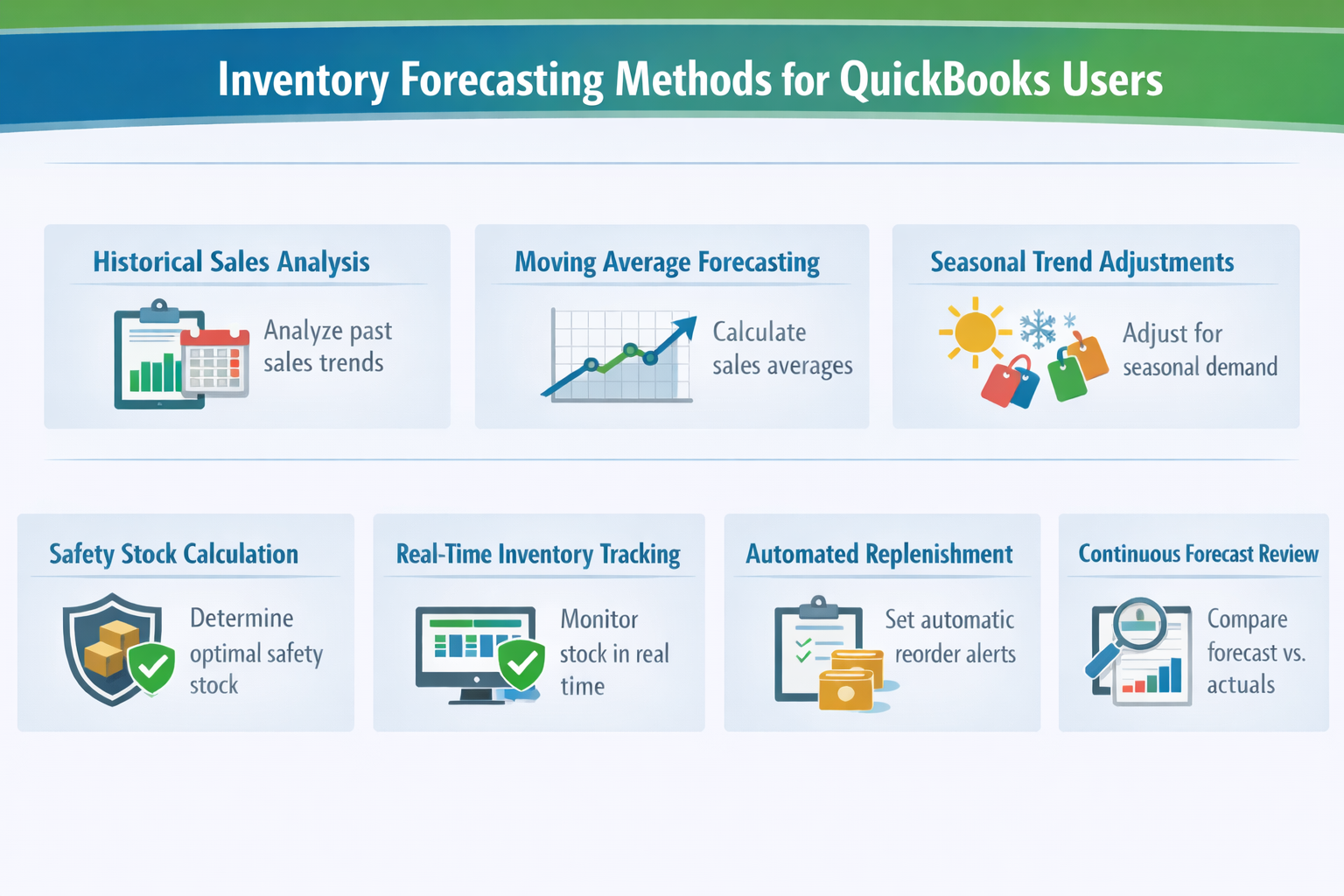
| Forecasting Methods | Use historical sales data, moving averages, and seasonal trends (e.g., holiday, summer, back-to-school) to predict future inventory needs. Manual methods are possible, but automated forecasting tools improve accuracy. |
| Setting Up Forecasts | QuickBooks allows users to create forecasts based on past performance, but SKU-level and multi-location forecasting are limited in standard editions. Use QuickBooks Desktop Enterprise or integrations for advanced inventory features. |
| Overcoming Limitations | Integrate inventory management software for real-time inventory tracking, automated reorder points, and multi-warehouse support. |
| Automation Benefits | Automated forecasting reduces manual errors, prevents stockouts and overstock, and optimizes cash flow by aligning inventory with actual customer demand. |
| Forecasting Best Practices | Regularly review sales history, adjust for seasonal demand, and use real-time inventory data to refine predictions and set optimal reorder points. |
| Reporting & Analytics | Leverage QuickBooks’ inventory reports and custom dashboards to monitor forecast accuracy and make data-driven adjustments. |
| Continuous Improvement | Compare forecasted vs. actuals, identify gaps, and refine your forecasting process for ongoing supply chain optimization. |
Inventory forecasting is a strategic lever that shapes every aspect of business performance. When inventory levels are misaligned with customer demand, companies risk tying up capital in overstock or losing sales to stockouts. QuickBooks users often discover that the difference between thriving and struggling comes down to how well they can predict stock needs and respond to shifting demand patterns.
Accurate forecasting enables businesses to optimize cash flow, reduce excess inventory, and ensure that the right products are available at the right time. This is especially critical for organizations managing multiple warehouses, seasonal trends, or complex supply chains.
For teams focused on inventory management with QuickBooks, the goal is not just to record transactions but to turn inventory data into better purchasing and replenishment decisions. The result is a more resilient operation, improved customer satisfaction, and a foundation for scalable growth.
Read Next: Why Inventory Visibility Breaks and How Leading Teams Are Fixing It
QuickBooks, developed by Intuit, provides inventory tracking and reporting that many businesses use as the foundation for inventory forecasting. QuickBooks Online includes features such as stock level tracking, reorder points, low-stock alerts, and sales reports that help teams monitor product demand and inventory movement.
QuickBooks Desktop, particularly Enterprise editions, offers additional inventory controls and more detailed reporting that support deeper analysis of purchasing and sales trends. Businesses often review historical sales and inventory reports from QuickBooks to guide purchasing decisions and inventory planning. For companies using QuickBooks Enterprise, those additional controls can support more complex replenishment workflows and reporting needs.
Many organizations also extend these insights through integrations with specialized inventory management and forecasting platforms that analyze demand patterns, supplier lead times, and stock levels to support more advanced forecasting and replenishment strategies.
Forecasting inventory in QuickBooks varies significantly depending on whether you’re using QuickBooks Online, Desktop, or Desktop Enterprise. Each version offers different levels of automation, reporting, and integration, which directly impact how you manage inventory planning and prediction.
| Feature / Capability | QuickBooks Online | QuickBooks Desktop | QuickBooks Desktop Enterprise |
|---|---|---|---|
| Primary Role in Planning | Financial reporting, budgeting tools, and basic inventory tracking | Financial reporting with inventory management and item-level reporting | Operational inventory management with Advanced Inventory features and expanded reporting |
| Inventory Tracking | Tracks quantities on hand, product records, and inventory valuation for inventory items | Tracks quantities, costs, and inventory valuation with detailed item records | Advanced Inventory can include features such as bin location tracking, barcode scanning, and serial or lot tracking, depending on configuration |
| Inventory Reports | Reports such as Inventory Valuation Summary and Sales by Product/Service help monitor inventory performance | Reports including Inventory Stock Status, Inventory Valuation, and Sales by Item | Expanded reporting that incorporates Advanced Inventory operational data |
| Automation | Supports reorder points and inventory level reminders for items | Supports reorder points and purchase orders based on inventory levels | Includes low-stock notifications and additional operational inventory controls through Advanced Inventory features |
| Multi-Location Support | Available in QuickBooks Online Advanced through location tracking capabilities | Limited in standard Desktop editions | Multi-warehouse and bin location tracking are available through Advanced Inventory |
| Integration Options | Connects with third-party inventory management, forecasting, and operational applications through the QuickBooks App ecosystem | Connects with third-party inventory management and forecasting applications | Supports integrations with warehouse management systems, barcode solutions, and inventory planning platforms |
| Inventory Planning Approach | Businesses often review sales and inventory reports or connect forecasting tools to estimate demand | Companies commonly review historical sales reports and inventory levels to guide purchasing decisions | Organizations often combine Advanced Inventory data with external inventory planning or forecasting software |
Building a reliable inventory forecast in QuickBooks requires more than just running a report. The most effective QuickBooks users combine proven forecasting techniques with best practices that ensure accuracy and adaptability.
Read Next:
Setting up forecasting in QuickBooks starts with configuring your fiscal year, chart of accounts, and inventory items. In QuickBooks Online Advanced, users can create forecasts based on historical data, average actuals, or last year’s performance. After verifying fiscal year settings, generate forecasts from the Financial Planning section, selecting the appropriate forecasting method and timeframe.
For QuickBooks Desktop, forecasting is managed through the Planning & Budgeting menu, where users can set up forecasts manually or auto-fill using the previous year’s numbers. It’s important to include all relevant accounts and inventory items before creating a forecast, as missing data can lead to inaccurate predictions.
Once a forecast is created, QuickBooks provides tools to edit, refresh, and compare forecasts against actuals. Users can run Forecast Overview and Forecast vs. Actuals reports to monitor performance and make adjustments as needed. For inventory-specific forecasting, QuickBooks users often supplement native features with manual calculations or integrated inventory management software like NEX.
In more complex inventory environments, working with a QuickBooks expert can help ensure forecasts are configured correctly and aligned with purchasing, warehouse operations, and financial planning workflows.
This approach allows for more granular control over SKU-level forecasting, safety stock, and reorder points. Regularly updating forecasts with the latest sales and inventory data ensures that predictions remain relevant and actionable, supporting better decision-making across purchasing, warehouse management, and supply chain operations.
Read Next: Real-Time Inventory Sync with QuickBooks for Zero Stockouts
QuickBooks offers valuable tools for inventory management, but users often encounter limitations that can hinder accurate forecasting and efficient operations. Addressing these challenges is essential for businesses aiming to scale and optimize their inventory planning.
Read Next:
Integrating advanced forecasting tools with QuickBooks transforms inventory management from a reactive process into a proactive, data-driven strategy. By connecting QuickBooks with inventory management software like NEX, businesses gain access to real-time inventory tracking, automated forecasting algorithms, and seamless multi-warehouse management.
These integrations enable users to automate replenishment, set dynamic reorder points, and receive instant alerts for low stock or overstock situations. The result is a streamlined workflow that reduces manual intervention, minimizes errors, and ensures that inventory levels align with actual customer demand and supplier lead times.
Advanced forecasting tools also provide deeper analytics, allowing businesses to analyze sales history, demand patterns, and supplier performance across all locations. For businesses evaluating the broader Intuit Enterprise Suite alongside connected operational tools, this kind of visibility can support more coordinated planning across systems.
Read Next: How Integrated Inventory Management Systems Eliminate Errors and Scale Operations
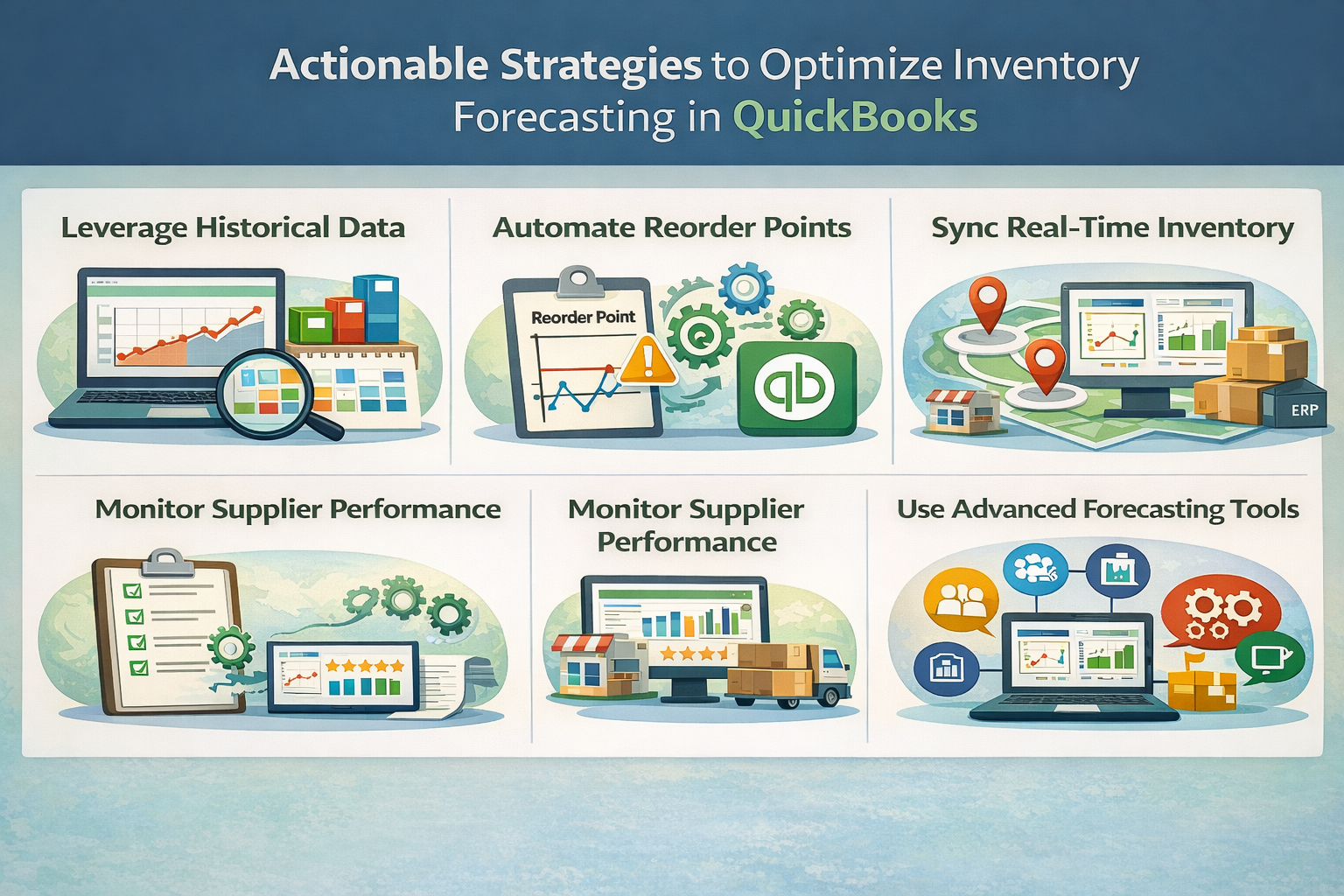
Optimizing forecasting in QuickBooks requires a blend of data analysis, automation, and alignment with broader supply chain objectives. By leveraging historical data, automating key processes, and integrating forecasting with warehouse and supplier management, businesses can achieve greater accuracy and efficiency in their inventory planning.
Historical sales data is the foundation of effective inventory forecasting. QuickBooks users can extract detailed sales reports, inventory valuation summaries, and product-specific trends to identify demand patterns and predict future stock needs.
For example, reviewing sales data from previous holiday seasons, summer months, or back-to-school periods can reveal when to increase or decrease inventory stock. By combining this historical perspective with real-time inventory tracking, using software like NEX, businesses can quickly spot shifts in customer demand, respond to supply chain disruptions, and adjust forecasts accordingly.
Real-time data integration ensures that every forecast reflects the most current inventory levels, purchase orders, and sales commitments, reducing the risk of stockouts or overstock. This approach also supports more accurate cash flow planning, as businesses can align purchasing decisions with actual sales velocity and supplier lead times.
Read Next: Inventory vs. Warehouse Management: What’s the Real Difference?
Automation is a game-changer for inventory forecasting, enabling businesses to maintain optimal stock levels without constant manual oversight.
Read Next:
Effective inventory forecasting is deeply connected to supply chain and warehouse management strategies. By aligning forecasting with supplier coordination, purchase order management, and warehouse optimization, businesses can create a seamless flow of goods from supplier to customer.
For example, using QuickBooks to manage purchase orders and track supplier lead times helps ensure that inventory planning is based on real-world supply chain performance. Integrating forecasting data with warehouse management systems supports efficient picking, packing, and shipping, reducing delays and improving order accuracy.
This holistic approach ensures that inventory planning supports broader business objectives, from reducing carrying costs to improving order fulfillment speed and accuracy. As a result, companies can respond more effectively to market changes, customer demand fluctuations, and supply chain disruptions, building a more resilient and agile operation.
Read Next: What Is Warehouse Management in Logistics?
For businesses ready to move beyond the basics, advanced inventory forecasting strategies offer a competitive edge. These tips focus on handling new products, managing seasonal trends, and leveraging integrated reporting for continuous improvement.
Inventory forecasting becomes especially complex when you’re dealing with products that have no sales history or when your business is exposed to sharp, recurring changes in customer demand throughout the year. QuickBooks users often find that standard forecasting methods fall short in these situations, as they require a blend of external data and flexible inventory management strategies.
Forecasting inventory for a new product in QuickBooks is challenging due to the lack of historical sales data. To address this, analyze sales data for similar products, consult suppliers on expected lead times and minimum order quantities, and use market research to estimate initial demand. For example, if you’re launching a new electronics accessory, review sales history for comparable items during similar launch periods. Adjust forecasts as actual sales data becomes available, and use QuickBooks’ inventory tracking to monitor stock on hand and sales velocity closely during the first few months.
Seasonal trends—such as increased demand during the holiday season, summer, or back-to-school—can dramatically impact inventory needs. Use QuickBooks’ sales history reports to identify when these spikes occur for each product. Adjust reorder points, safety stock, and purchase order timing in advance of seasonal changes. Integrating external data sources, such as market trends or promotional calendars, further refines these forecasts. By proactively managing seasonal inventory, businesses can optimize cash flow, reduce excess stock, and ensure product availability during peak demand.
Read Next: How to Optimize Inventory Management for Seasonal Demand
Continuous improvement in inventory forecasting relies on robust reporting and analytics. QuickBooks offers a range of inventory reports, but integrating with advanced inventory management software unlocks even deeper insights and automation.
QuickBooks’ inventory reports and custom dashboards are powerful tools for refining forecasting accuracy over time. Regularly review Inventory Valuation Detail, Sales by Product/Service, and Stock Status reports to identify discrepancies between forecasted and actual inventory movements. Custom dashboards allow for real-time monitoring of key performance indicators, such as turnover rates and stockouts, supporting data-driven decision-making. This continuous feedback loop enables businesses to fine-tune forecasting methods, adjust reorder points, and respond quickly to emerging trends or supply chain disruptions.
Comparing forecasted inventory needs with actual sales and usage data is essential for identifying gaps and improving future predictions. QuickBooks users can leverage Forecast vs. Actuals reports to track performance at the account or SKU level, highlighting areas where forecasts were too aggressive or conservative. By analyzing these variances, businesses can uncover root causes—such as unexpected demand shifts, supplier delays, or data entry errors—and implement corrective actions. This process not only enhances forecasting accuracy but also builds organizational confidence in inventory planning decisions.
Read Next: The Top Benefits of Implementing a Real-Time Order Tracking System
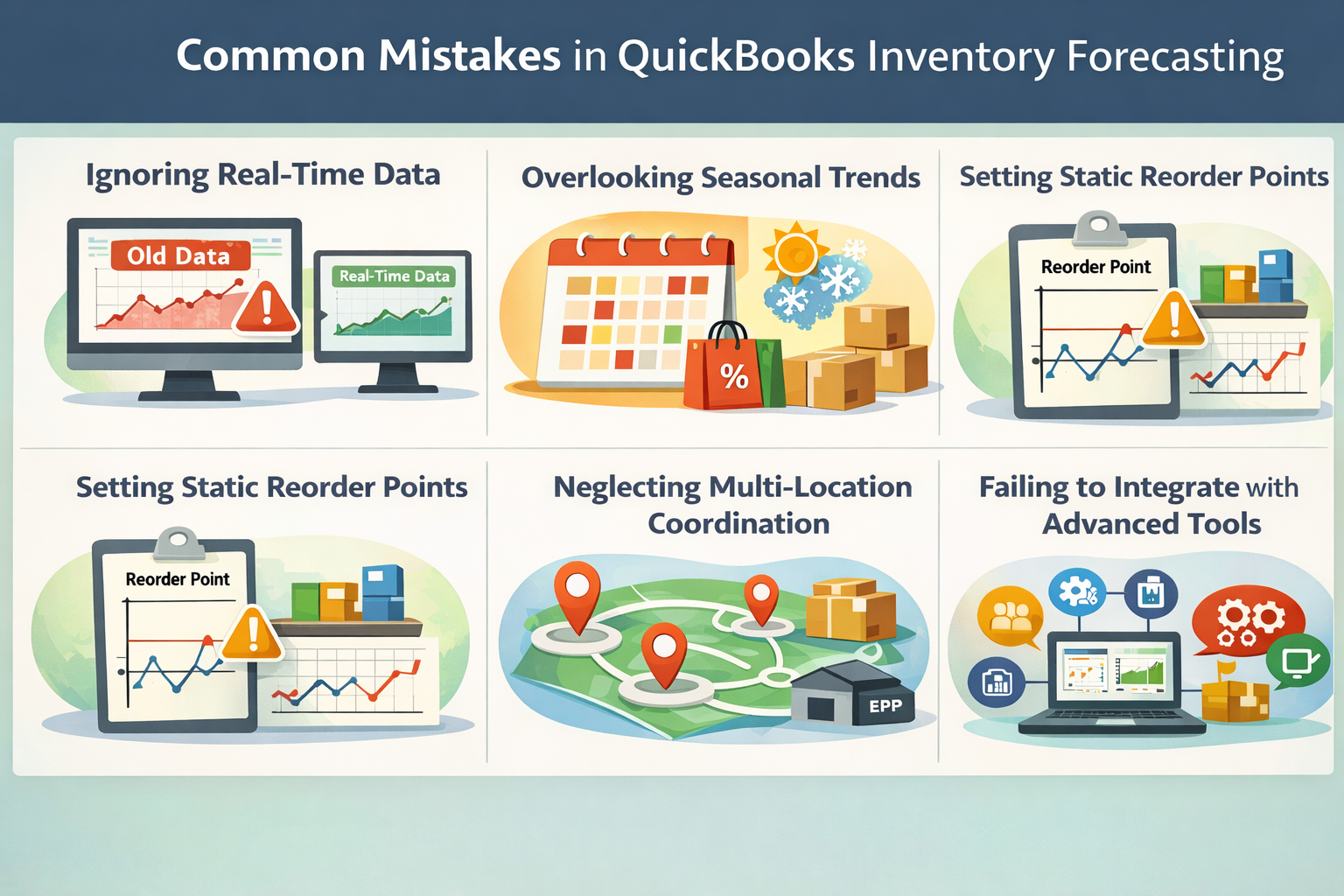
Even experienced QuickBooks users can fall into common traps that undermine inventory forecasting accuracy. Recognizing and addressing these mistakes is key to building a resilient, data-driven inventory management process.
Read Next: Overcoming Top Inventory Management Challenges: Solutions for Supply Chain Success
Transitioning from manual, reactive inventory management to predictive, data-driven planning in QuickBooks is a journey that pays dividends in efficiency, cash flow, and customer satisfaction. By leveraging historical sales data, automating key processes, and integrating advanced forecasting tools, businesses can anticipate demand, optimize stock levels, and build a more resilient supply chain. The most successful QuickBooks users are those who continuously refine their forecasting methods, align inventory planning with broader business objectives, and embrace technology to streamline every step of the process.
If you’re ready to move beyond spreadsheets and unlock the full potential of predictive inventory planning, NEX delivers real-time tracking, automation, and advanced analytics. Schedule a meeting to discover how you can streamline your inventory forecasting and drive smarter business decisions.
Forecasting inventory in QuickBooks involves analyzing historical sales data, setting up forecasts in the Financial Planning section (for Online Advanced), and using inventory reports to predict future stock needs. Users can manually calculate reorder points or integrate software like NEX for automated forecasting and replenishment.
QuickBooks’ native forecasting features are primarily financial, with limited SKU-level and multi-location support in standard editions. Manual data entry, lack of automated low-stock alerts, and basic reporting can hinder accurate inventory planning, especially for businesses with complex supply chains.
QuickBooks Desktop Enterprise offers some automation for inventory tracking and low-stock alerts, but full automation of forecasting and replenishment typically requires integration with inventory management software such as NEX. These integrations enable real-time data sync, automated reorder points, and advanced analytics.
Users can run Sales by Product/Service and Inventory Valuation Detail reports in QuickBooks to analyze past sales trends, identify demand patterns, and inform future forecasts. Combining this data with real-time inventory tracking and external market insights improves prediction accuracy.
Reorder points in QuickBooks can be set manually based on average sales, lead time, and safety stock calculations. For automated and dynamic reorder points, users should integrate with inventory management software that syncs with QuickBooks and updates reorder triggers in real time.

Still using QuickBooks to manage your inventory? You’re not alone, but you may have already outgrown it.

Selling across multiple channels? Then you know how quickly inventory issues can derail your operations. Real-time inventory sync updates stock...

7 min read
Running a seasonal business or retail operation? Then you know how brutal peak seasons can be. You either run out of stock and lose sales, or...